
Understand your night
Sleep duration, consistency and personal history help you connect the dots between your nights.
THE OMNIQ APP
Understand your night. Put recovery in context. Keep track of your training. Discover what your readings can tell you about everyday life.
Ring, app and Coach. No subscription.


For iPhone & AndroidThe companion app for your Omniq ring.
Explore all included features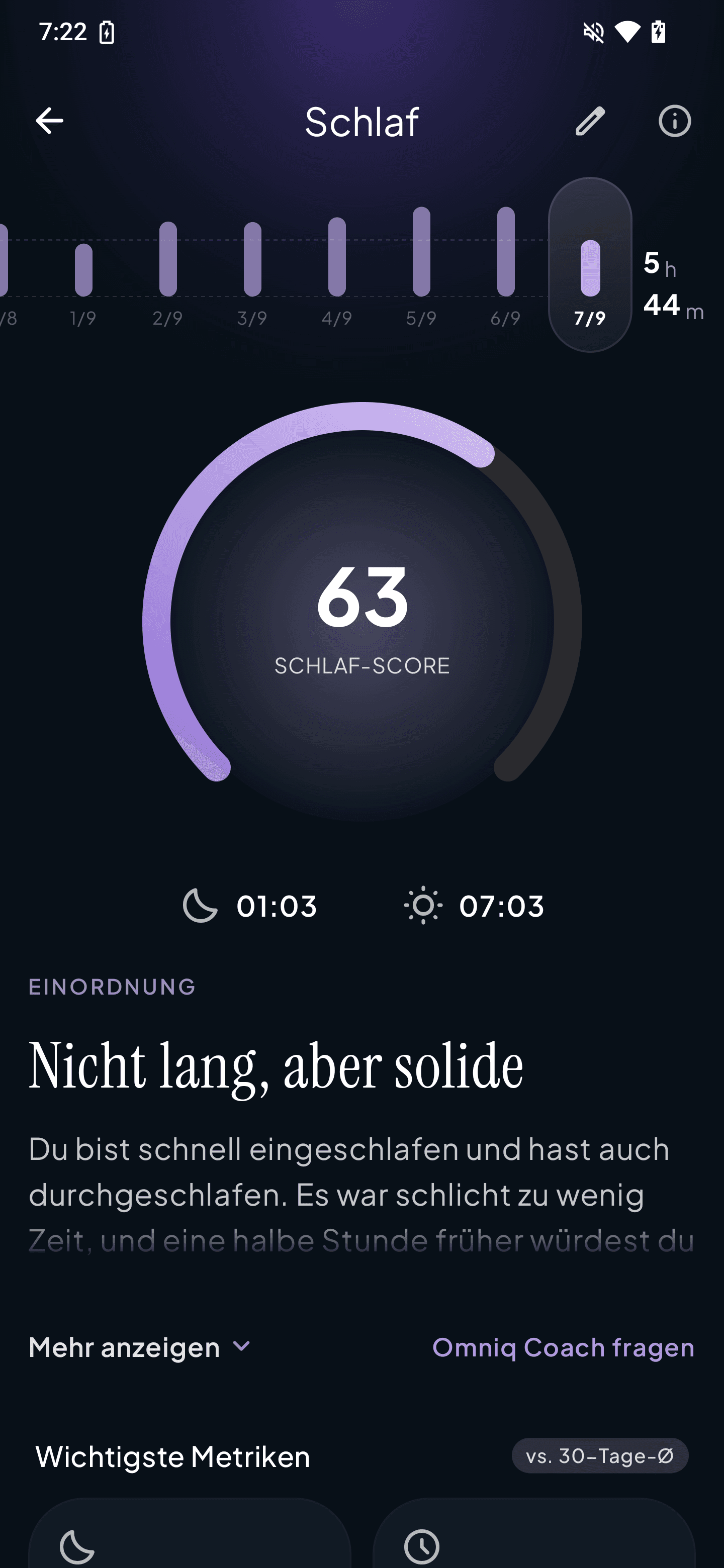
INSIDE YOUR APP
Sleep duration, your score and personal trends.
Personal sleep interpretation includedOMNIQ · APP AND COACH INCLUDED
All current app features, AI Coach and training plans are included with your ring. No Premium subscription and no additional monthly or annual fee.
0 € / month
Included with your ring
Sleep duration, consistency and personal history help you connect the dots between your nights.
HRV, resting heart rate and training load help you compare your training routine with your own history.
A personal insight: what matters today, and what could be a useful next step?
Ask questions, understand your readings and discuss how training fits your everyday life.
Personal running plans account for your goal and available training days. You confirm any changes.
History, journal analysis and additional insights help you explore patterns beyond a single day.
Included features remain available to existing and new accounts. AI features require your consent and are subject to usage limits. Measurements and suggestions support wellbeing and do not replace medical advice.
READY FOR YOUR FIRST LOOK?
Install Omniq from the App Store or Google Play.
Create an account or sign in to your existing one.
Turn on Bluetooth and pair your charged ring directly in the app.
No. The app with all current features, AI Coach and training plans is included with your ring. There is no additional monthly or annual subscription fee. This applies to existing and new accounts. AI features require your consent and are subject to usage limits.
App and AI Coach are included. You can find a previous paid contract separately under My Account → Membership. You can end an active renewal there; your included features remain available. Invoices and credit notes remain accessible. Please update your app. Contact support with questions about your previous contract or a payment.
The app supports Android 10 or later and iOS 16 or later. Your ring connects via Bluetooth. Individual features depend on your platform, device and granted permissions.
Omniq Intelligence brings together your app’s AI features: your coach puts sleep, recovery and exertion in context. With enough entries, journal analysis looks for possible relationships with your habits. Personal running plans account for your goal and available training days. App and Coach are included with your ring, without a subscription. AI use is subject to usage limits and your consent.
The Omniq app includes measurements, personal history, explanations, your focus today, AI Coach and training plans. Existing and new accounts receive the same features without monthly fees. AI use requires the relevant consent and is subject to usage limits.
Open Omniq with Bluetooth enabled and keep your ring nearby. Once connected, the app transfers the available ring data. Syncing can take a little longer after an extended break.
Check that your ring is charged and Bluetooth is enabled. Place the ring close to your phone and reopen Omniq. If it still will not connect, our support team can help you get set up.